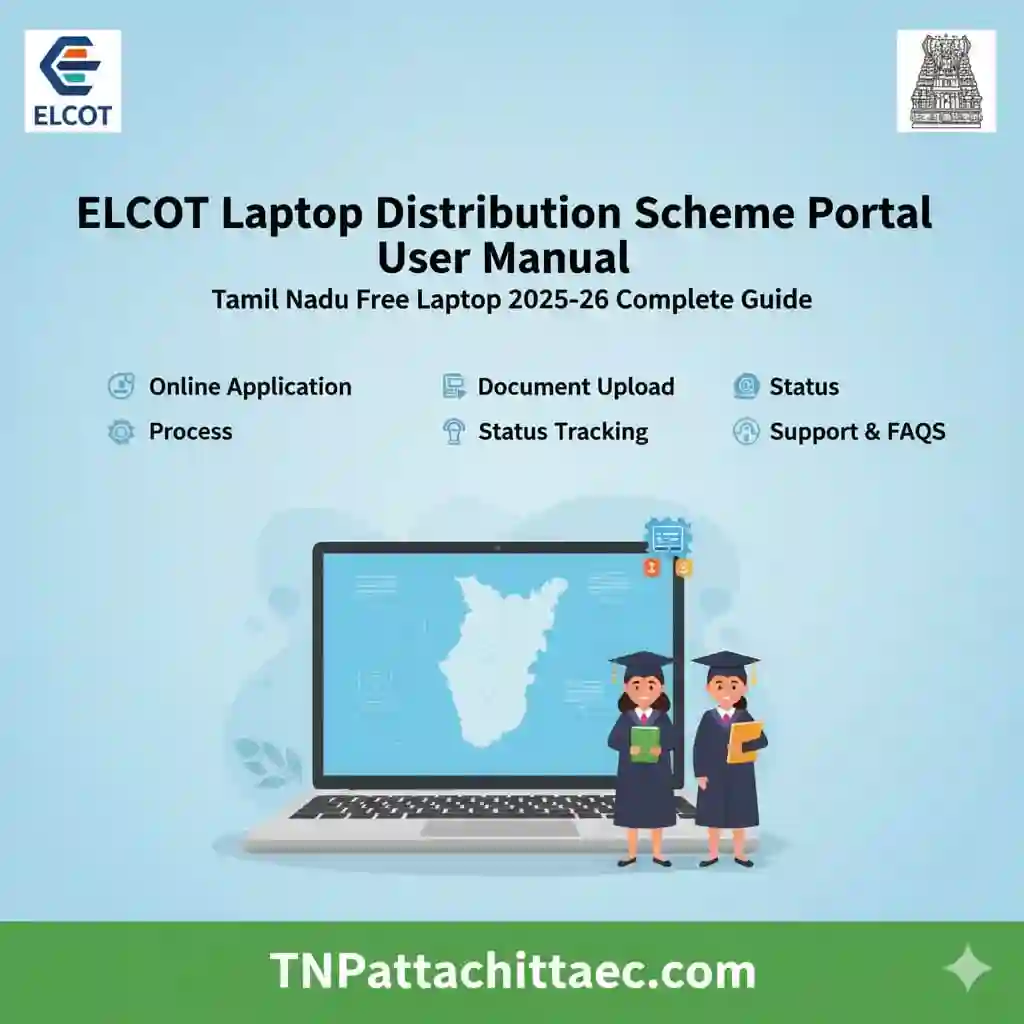
ELCOT Laptop Distribution Scheme Portal User Manual | Tamil Nadu Free Laptop 2025-26 Complete Guide
The ELCOT Laptop Distribution Scheme Portal is an online system designed to manage the free laptop scheme for students in Tamil Nadu. This portal helps schools, colleges, and government authorities handle student data, verification, and laptop distribution in a structured way.
If you are a school administrator, college staff member, or official user, this manual will guide you step by step. You will learn how to log in, manage student records, verify eligibility, and track distribution.
This guide focuses on clarity, real use cases, and practical steps so you can complete tasks without confusion.
You searched for the ELCOT laptop portal and you landed in the right place. Whether you want to log in for the first time, check your eligibility, track your delivery, raise a grievance, or claim your MS Office 365 subscription, this guide covers every step in clear, simple language.
The Electronics Corporation of Tamil Nadu (ELCOT) manages the official portal at elcotlaptop.tn.gov.in. This is the central platform for the Tamil Nadu Free Laptop Scheme, also called Ulagam Ungal Kaiyil. It connects students, colleges, and the government in one place.
Read every section carefully. Each section builds on the one before it.
Also Read: Government of Tamil Nadu Laptop Scheme Free Laptop
What is the ELCOT Laptop Distribution Scheme Portal?
The portal is managed by Electronics Corporation of Tamil Nadu Limited (ELCOT). It supports the Tamil Nadu Free Laptop Scheme, which provides laptops to eligible students studying in government and aided institutions.
Key Purpose of the Portal:
Who Can Use the Portal?
The portal is not open to the public. It is designed for authorized users only.
Eligible Users:
- School administrators
- College staff
- District-level officers
- Scheme coordinators
- Government officials
Students do not log in directly. Their data is uploaded and managed by institutions.
ELCOT | AIS Login
ELCOT manages two major laptop portals under the Tamil Nadu Information Technology Department. Understanding which one applies to you is the first step.
Student Login: elcotlaptop.tn.gov.in
This is the portal for college students under the Ulagam Ungal Kaiyil scheme. To complete your ELCOT laptop login as a student, you need your UMIS ID and a password. Here is the exact login format:
| Field | What to Enter |
| Username | Your 11-digit UMIS ID (example: 98764346622) |
| Password (first login) | Last 4 digits of your registered mobile number + year of birth (YYYY). Example: Mobile 9876543210, DOB year 1999, Password = 32101999 |
| After first login | You must change your default password on first access. Store the new password securely. |
For UMIS login, go to umis.tn.gov.in and use the same UMIS ID. The UMIS portal manages your academic data and links to the laptop scheme. ELCOT Laptop Distribution Scheme Portal If your profile is incomplete on UMIS, your laptop registration may fail.
AIS Login: aisprocure.elcot.in
The ELCOT AIS (All India Services) portal is separate. It is for IAS, IPS, and IFS officers of the Tamil Nadu cadre to procure laptops or tablets through government reimbursement. Officers become eligible after completing five years from the date of their previous procurement. For any AIS-related queries, write to aislaptop@elcot.in.
Students should not confuse the AIS portal with the student laptop portal. These are two different systems managed by ELCOT under the Tamil Nadu IT Department.
Portal Login Process
Accessing the portal correctly is the first step.
Steps to Login:
- Open the official portal in your browser
- Enter your User ID
- Enter your Password
- Fill the captcha code
- Click on Login
Login Tips:
- Always use updated login credentials
- Avoid multiple failed attempts
- Use a secure internet connection
- Clear browser cache if login fails
Dashboard Overview
Once logged in, you will see the dashboard. This is your control panel.
Main Sections on Dashboard:
- Student Data Entry
- Student Verification
- School or College Details
- Laptop Allocation Status
- Reports and Downloads
Each section has a specific function. Understanding the dashboard saves time and avoids mistakes.
Tamil Nadu Laptop Scheme for 10 Lakh College Students Launched
The Tamil Nadu government officially launched the Ulagam Ungal Kaiyil Free Laptop Scheme on 5 January 2026. Chief Minister Thiru M. K. Stalin inaugurated the first phase at the Trade Centre in Nandambakkam, Chennai. The first phase covers 10 lakh college students across the state.
This is not just a scheme. It is Tamil Nadu’s largest digital empowerment push for students since the original ELCOT free laptop drive that distributed over 38 lakh devices between 2011 and 2017.
What Students Receive
Student Data Entry Process
This is one of the most important tasks in the portal. ELCOT Laptop Distribution Scheme Portal.
Required Student Details:
- Student Name
- Date of Birth
- Gender
- Aadhaar Number
- School or College Name
- Class or Course
- Category (General, SC, ST, etc.)
- Address Details
Steps to Add Student Data:
- Go to Student Data Entry section
- Click on Add New Record
- Fill all required fields carefully
- Double-check for errors
- Click on Submit
Best Practices:
- Enter accurate information
- Avoid spelling mistakes
- Ensure Aadhaar number is correct
- Save data regularly
Student Verification Process
After data entry, verification is required.
Why Verification Matters:
- Confirms eligibility
- Prevents duplicate entries
- Ensures fair distribution
Verification Steps:
- Open Verification Section
- Select student record
- Check details against documents
- Approve or reject the record
Documents to Verify:
- Aadhaar Card
- School ID
- Admission proof
- Category certificate (if applicable)
Eligibility Criteria for Students
Only eligible students receive laptops.
General Eligibility:
- Studying in government or aided institutions
- Enrolled in specific classes (usually higher secondary or college level)
- Valid student records
Important Notes:
- Private school students may not be eligible
- Duplicate entries are rejected
- Incorrect data leads to disqualification
Laptop Allocation Process
Once verification is complete, laptops are assigned.
Allocation Steps:
- Verified student list is finalized
- Laptops are assigned based on availability
- Allocation status is updated in the portal
Allocation Status Types:
- Pending
- Approved
- Distributed
Laptop Distribution Process
Distribution happens at the institution level.
Steps:
- Receive laptops from authorities
- Match laptops with student records
- Distribute to students
- Update status in the portal
Important:
- Take student acknowledgment
- Maintain distribution records
- Update portal immediately after distribution
Reports and Data Management
The portal allows you to generate reports easily.
Types of Reports:
- Student list
- Verified students
- Distribution status
- Pending records
How to Generate Reports:
- Go to Reports Section
- Select report type
- Apply filters if needed
- Click on Generate
- Download or print
Common Problems and Solutions
1. Login Issues
- Check username and password
- Reset password if needed
- Clear browser cache
2. Data Not Saving
- Ensure all fields are filled
- Check internet connection
- Try again after refreshing
3. Duplicate Entries
- Use Aadhaar verification
- Remove duplicate records
4. Verification Errors
- Cross-check documents
- Update incorrect data
Security Guidelines
Handling student data requires responsibility.
Best Practices:
- Do not share login credentials
- Log out after use
- Use strong passwords
- Avoid public computers
- Keep data confidential
Important Features of the Portal
1. Centralized Data System
All student information is stored in one place.
2. Real-Time Updates
Data updates instantly across departments.
3. Error Reduction
Digital system reduces manual mistakes.
4. Transparency
Every step is recorded and trackable.
Benefits of Using the Portal
- Faster data processing
- Easy tracking of laptop distribution
- Reduced paperwork
- Better coordination between departments
- Improved accuracy
Tips for Efficient Use
- Enter data daily to avoid backlog
- Verify records immediately
- Keep documents ready before entry
- Regularly check dashboard updates
- Generate reports weekly
How the Scheme Works
There is no online application process. Students cannot register individually through the ELCOT laptop portal or any other website. The college identifies final-year students, verifies their data, and uploads the list to the ELCOT system. Distribution happens at the college or district level.
The second phase begins in March 2026 and will cover another 10 lakh students, bringing the total to 20 lakh over two years. The government allocated Rs. 2,000 crore for 2025-26 and a similar budget for 2026-27.
Who is eligible for the ELCOT free laptop?
- Final-year students in government and government-aided arts, science, engineering, agriculture, medical, law, ITI, and polytechnic colleges in Tamil Nadu
- Students must be Tamil Nadu permanent residents
- Aadhaar card must be linked to the student’s UMIS profile
- Priority goes to SC, ST, OBC, and EWS category students
- Private college students are not eligible
- ELCOT Laptop Distribution Scheme Portal
ELCOT – Tamil Nadu Information Technology Department
ELCOT stands for Electronics Corporation of Tamil Nadu. It functions under the Tamil Nadu Information Technology Department and plays a central role in digitalising the state’s government services.
For the laptop scheme, ELCOT( ELCOT Laptop Distribution Scheme Portal) handles everything: vendor selection, quality testing, supply chain management, ERP tracking, and portal maintenance. The official ELCOT website is elcot.in. The laptop scheme portal is at elcotlaptop.tn.gov.in.
ELCOT Laptop Price and Vendor Details
Students often search for the ELCOT laptop price. The government procured these laptops through a competitive tender process. Each unit costs approximately Rs. 30,000 to Rs. 35,000. Students receive the device completely free of cost. The government bears the full expense.
ELCOT finalised contracts with three major companies after a rigorous tender process:
- HP (HP ELCOT laptop) – HP is one of the most popular brands among the three
- Acer (Acer ELCOT laptop) – distributed widely across arts and science colleges
- Dell – supplied to engineering and technical college students
All three brands come with the same government-approved specifications. A committee from Anna University, IIT Madras, and NIC tested and approved the laptops before distribution. The HP ELCOT laptop price, the Acer ELCOT laptop price, and the Dell unit cost are all within the same government procurement range.
The eProcurement Connection
All laptop tenders for this scheme went through the Tamil Nadu Government eProcurement System. ELCOT published the tender reference ELCOT/PROC/LT along with detailed specifications for each vendor. The eProcurement portal ensures transparency in how the government selects laptop brands and fixes prices. This is why students can trust that the laptops they receive meet verified quality standards.
eProcurement System Government of Tamil Nadu
The Tamil Nadu Government eProcurement System is the platform where all government purchases are published and tracked. For the ELCOT laptop scheme, this system plays a major role in how laptops reach students.
Here is how the procurement chain works, from the government order to the laptop reaching your hands:
ELCOT Laptop Distribution Scheme Portal
- Tamil Nadu government issues a Government Order (GO) authorising ELCOT to procure laptops
- ELCOT publishes the tender on the Tamil Nadu eProcurement portal
- Acer, Dell, HP, and other companies submit bids
- A technical committee from Anna University, IIT, and NIC tests submitted models
- ELCOT finalises contracts and places bulk orders
- Laptops arrive at ELCOT warehouses across Tamil Nadu districts
- Colleges upload verified student data to the ELCOT portal
- The Higher Education Department reviews and approves the student lists
- Laptops are dispatched to colleges for distribution
- Students collect the device and acknowledge receipt on the portal
This transparent process ensures no student is left out due to supplier errors. If your laptop arrives with a defect, raise a service request on the ELCOT laptop portal. The procurement system keeps warranty records, so your claim is traceable.
TN Govt Free Laptops Ineligible? Invalid? UMIS Password? MS365 Claim | Ulagam Ungal Kaiyil Laptop
This is the section most students need the most. Many students log in to the ELCOT laptop portal and see errors like Ineligible, Invalid credentials, or UMIS not found. Others cannot figure out how to claim their MS Office 365 subscription. Let us solve each problem one by one.
Problem 1: Showing as Ineligible on the ELCOT Portal
If your portal shows you as ineligible for the free ELCOT laptop, here is what to do:
- Log in to your UMIS account at umis.tn.gov.in and check if your profile is complete
- Verify that your Aadhaar number is correctly linked in your UMIS profile
- Make sure you are a final-year student. First, second, or third-year students may not yet be in the active distribution list
- Contact your college’s UMIS Nodal Officer. Ask them to confirm whether your name was included in the data submitted to the Higher Education Department
- If your data was not submitted, ask the principal to raise a correction request to the department
- ELCOT Laptop Distribution Scheme Portal
As a last resort, use the Unga Kanavu Sollunga platform, which is the direct-to-CM feedback channel. This is not a registration portal, but it is a powerful tool for reporting data entry errors or unfair exclusions. Only use this if the college-level correction process has not worked.
Problem 2: Invalid Login or Wrong Password on ELCOT Laptop Login
If your ELCOT laptop login is failing with an invalid error, try the following:
ELCOT Laptop Distribution Scheme Portal
- Re-enter your 11-digit UMIS ID carefully. Check that you have the correct number of digits
- Try the default elcot laptop login password: last 4 digits of your mobile number + your 4-digit birth year
- Example: Mobile 9876054321, DOB year 2002, Password = 43212002
- If you already changed your password and forgot it, contact your college UMIS coordinator immediately
- Do not attempt multiple wrong passwords in a row. This may lock your account
Problem 3: UMIS Login Not Working
The UMIS login at umis.tn.gov.in and the ELCOT laptop portal login at elcotlaptop.tn.gov.in are two different systems. However, both use your UMIS ID as the username. If UMIS login fails, your college may not have registered you properly in the system. Ask your principal or UMIS coordinator to verify your enrollment.
Problem 4: How to Claim Your MS Office 365 Subscription
Every student who receives an ELCOT laptop under the Ulagam Ungal Kaiyil scheme gets a one-year MS Office 365 subscription. This includes Word, Excel, PowerPoint, Teams, and OneDrive. Here is how to claim it:
- Log in to the ELCOT laptop portal at elcotlaptop.tn.gov.in
- Go to your dashboard and look for the Microsoft 365 / Software section
- You will find a unique product key or a redemption link assigned to your device
- Open Microsoft’s official website and enter the key to activate your subscription
- Use your college email or a personal email to register the account
- If no key appears on the portal, contact your college’s laptop distribution coordinator
Each laptop also comes with a six-month Perplexity Pro AI subscription, which you can activate using the instructions included with the laptop bag or via the portal.
Problem 5: Wrong Laptop Brand or Damaged Device Received
If you received a damaged laptop or one that does not match your expected specifications, do not accept it silently. Raise a service request on the ELCOT portal as soon as possible. Keep the following ready:
- Laptop serial number (printed on the back of the device)
- Your college ID and bonafide certificate
- A photo of the damage or defect (JPG or PNG format)
- Your Grievance Reference Number after submission
Step-by-Step Guide to the ELCOT Laptop Portal
Step 1: Access the ELCOT Laptop Portal
Open elcotlaptop.tn.gov.in in Google Chrome on your mobile or computer. This is the official portal at elcot laptop tn gov in. Avoid any third-party websites claiming to offer ELCOT free laptop apply online links. The only real registration happens through your college.
Step 2: Complete ELCOT Laptop Login as a Student
Enter your 11-digit UMIS ID as the username. Enter your password using the default format (last 4 digits of mobile + birth year). On your first login, change the password right away and save it somewhere safe.
Step 3: Check Your Dashboard
After login, your dashboard shows your laptop allocation details, device model, serial number, warranty dates, and delivery status. Everything you need is on this one screen.
Step 4: Acknowledge Laptop Delivery
Once your college hands you the laptop, come back to the portal and complete the delivery acknowledgement. Click on the Delivery Acknowledgement section, select your serial number from the dropdown, cross-check it with your physical device, and confirm. This step is required. Without it, the system shows your delivery as incomplete.
Step 5: Raise a Grievance If Needed
Go to Grievance or Help Desk from the dashboard. Click Submit New Grievance, choose Scheme Related, then Laptop Scheme, and fill in the details. Upload any supporting documents in PDF or JPG format. Submit and note the Reference Number. Track the status by logging in and visiting the Grievance Status section.
Conclusion
The ELCOT Laptop Distribution Scheme Portal plays a key role in delivering laptops to students efficiently. It connects institutions, authorities, and data in one system.
By following the correct steps for login, data entry, verification, and distribution, you can ensure smooth operation and avoid errors.
Accuracy, consistency, and timely updates are the most important factors. When used properly, the portal saves time, reduces mistakes, and ensures that laptops reach the right students without delay.
The ELCOT Laptop Distribution Scheme is one of the most significant investments Tamil Nadu has made in student welfare in the past decade. The portal at elcotlaptop.tn.gov.in puts every step of the process under your control, from login to grievance filing.
ELCOT Laptop Distribution Scheme Portal
If you face login issues, check your UMIS profile first. If you are marked ineligible, work with your college coordinator before contacting the helpline. Once you receive your HP, Acer, or Dell ELCOT laptop, acknowledge delivery on the portal and claim your MS Office 365 and Perplexity Pro subscriptions right away.
Stay updated by visiting elcot.in and elcotlaptop.tn.gov.in regularly. Phase two distributions begin in March 2026. If you are a first or second-year student now, your time is coming.
Frequently Asked Questions (FAQs)
What is the ELCOT Laptop Scheme Portal?
It is an online system used by institutions to manage student data and laptop distribution under the government scheme.
Who can access the portal?
Only authorized school, college, and government officials can log in.
Can students log in directly?
No. Students cannot access the portal. Institutions handle all entries.
What happens if data is incorrect?
Incorrect data may lead to rejection or delay in laptop allocation.
How can I reset my password?
Use the “Forgot Password” option on the login page or contact the admin.
Is Aadhaar mandatory?
Yes. Aadhaar is usually required for verification.
Is there an ELCOT laptop free student apply online option?
No. There is no individual online application for the ELCOT free laptop. Colleges submit student data to the government. If your name is in the list, you will be notified by your college.
What is the ELCOT laptop price for 2025-26?
Each laptop costs the government approximately Rs. 30,000 to Rs. 35,000. Students receive it fully free of cost.
How do I find my UMIS ID?
Your UMIS ID is an 11-digit number given to you at college enrollment. Ask your college administration or check your UMIS portal at umis.tn.gov.in.
What is the ELCOT laptop charger specification?
The charger is included with the laptop and matches the brand’s standard power supply. HP, Acer, and Dell each supply their respective chargers. ( ELCOT Laptop Distribution Scheme Portal) If your charger is missing or defective, raise a service request on the portal within the warranty period.
Where is the elcot.tn.gov.in laptop portal?
The official portal is at elcotlaptop.tn.gov.in. This is also referred to as http://elcotlaptop.tn.gov.in or elcot/laptop in search engines. Bookmark it directly to avoid confusion with unofficial sites.
What if my college is not in the list?
Only government and government-aided institutions are covered. Private colleges do not qualify. Contact your Higher Education Department district office if you believe your government-aided college was wrongly excluded.
What is the helpline for the scheme?
Call 18005999000. This is a toll-free number for the Ulagam Ungal Kaiyil scheme. Use it only after exhausting college-level support.